Lifetime Stats: Tally Counter
Every day you've counted, from day one
Click counter and habit tracker with widgets, streaks, and a lifetime total.
Free. Nothing to install, no sign-in.
How it is used
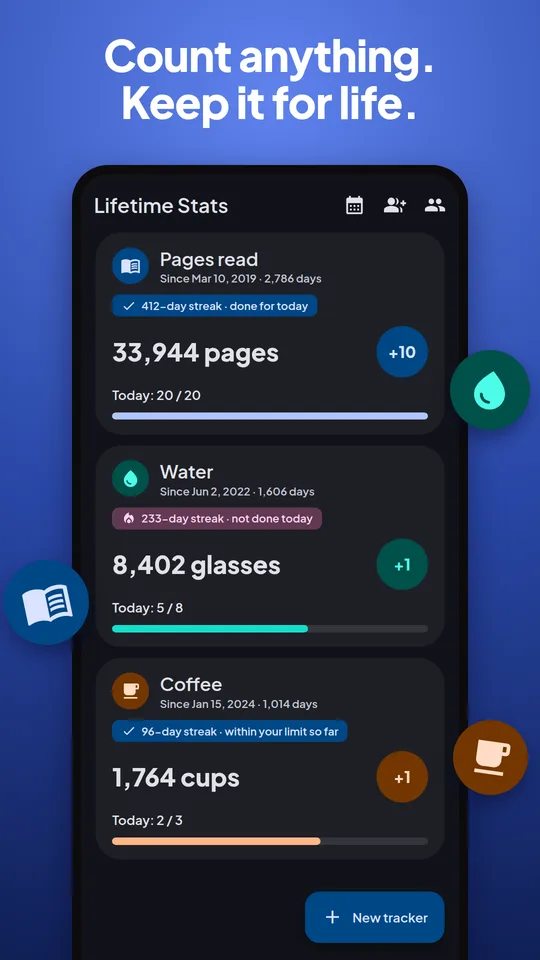
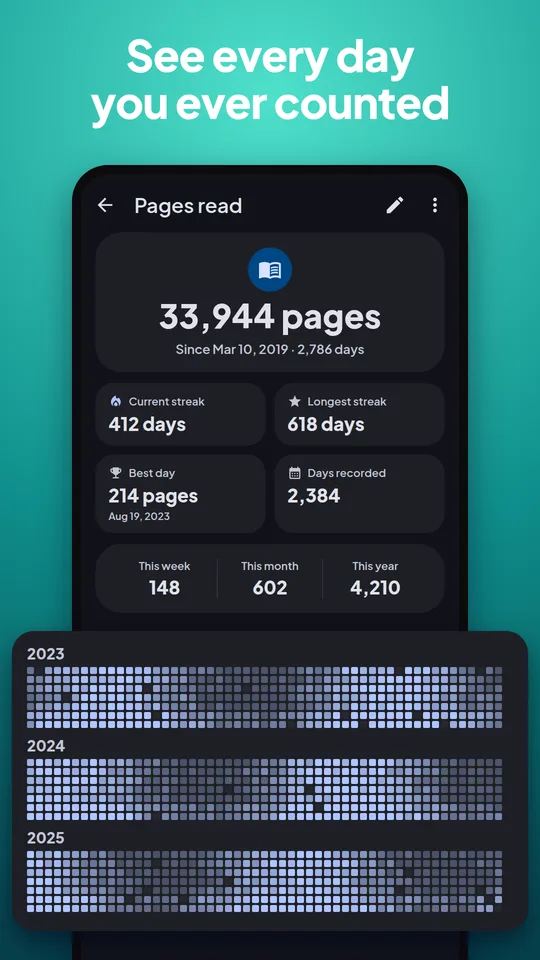
Lifetime Stats is a tally counter and habit tracker that never forgets. Name anything you count, tap to add, and the app keeps the whole record: your lifetime total, current and longest streak, best day, and a calendar of every day since you started.
Books read, miles run, cups of coffee, days without a drink. Your count never resets.
COUNT WITH ONE TAP
Each tap adds 1, or any amount you choose, like +5 pages, with a light buzz and an optional tick. Tapped by mistake? Tap Undo.
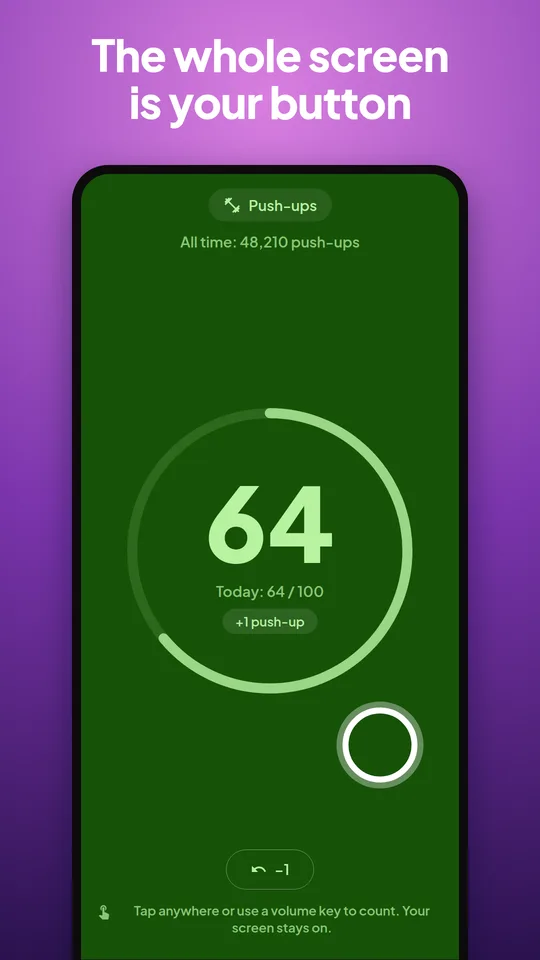
COUNT MODE: THE WHOLE SCREEN IS THE BUTTON
Tap anywhere, or press a volume key, to count without looking. The screen stays on. A strong buzz and a sound mark your daily goal and every multiple of it.
COUNT TOGETHER WITH A SHARED TRACKER
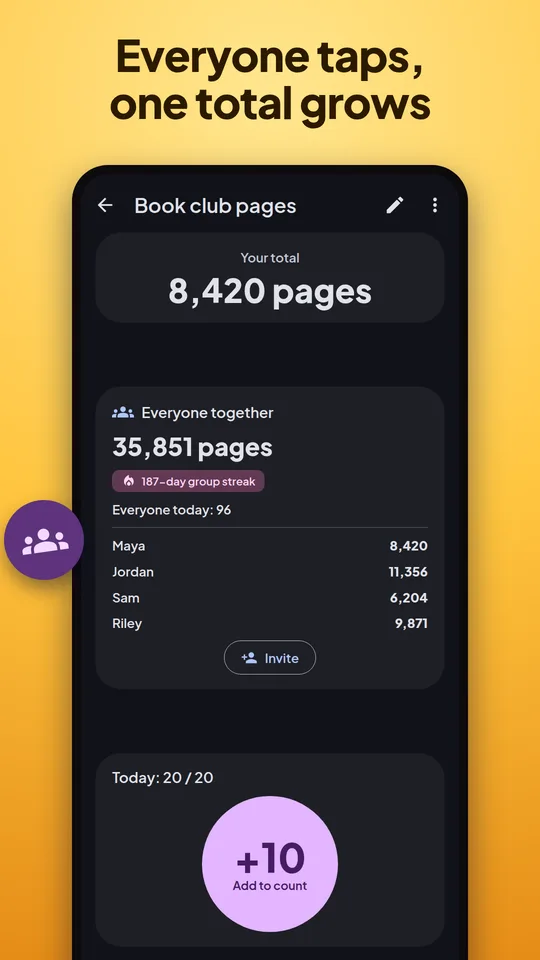
Share a tracker with a link or an invite code, and everyone who joins adds to one total, like the pages your book club reads. Each person's share shows by name under the total, never ranked. Sharing, joining, and adding friends need you to sign in with a Zaparo ID.
KEEP STREAKS WITH FRIENDS
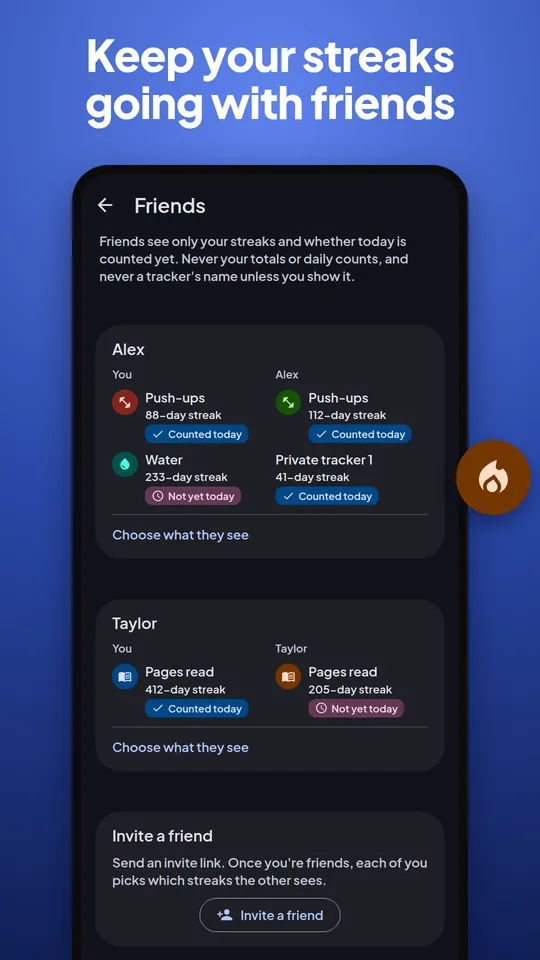
Add a friend with a link or a friend code, then pick which of your trackers they see. Your streaks and theirs sit side by side, so a missed day stands out. Friends never see your totals or counts, and see a tracker's name only if you show it.
EVERY DAY AT A GLANCE
A calendar heatmap shows every day since your first, with totals for the week, month, and year.
TWO HOME SCREEN WIDGETS
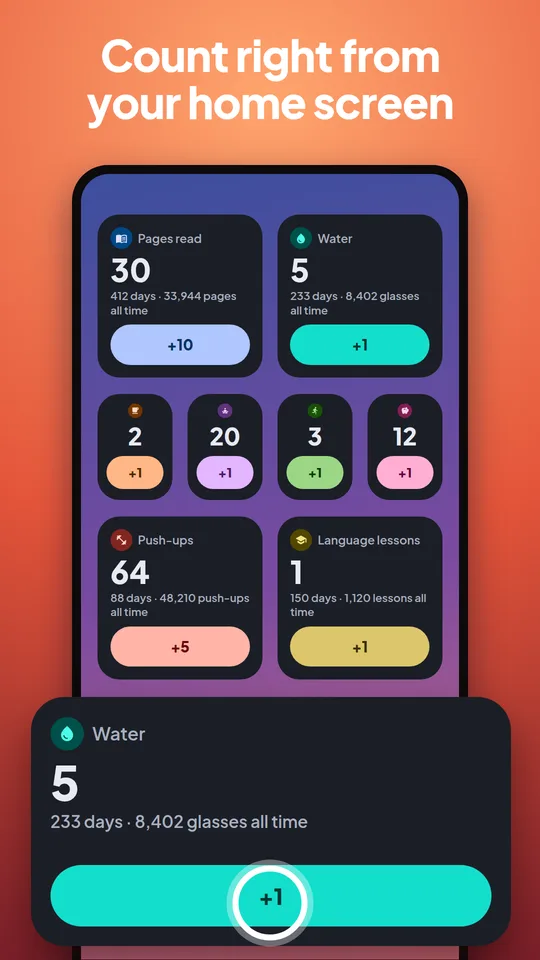
A 1x1 widget with today's count and a + button, or a larger one with your streak and total, each for the tracker you pick.
DAILY REMINDERS, RIGHT ON TIME
A daily reminder for any tracker, right on time once you allow exact reminders in your phone's settings. Its + button counts straight from the notification.
BRING YOUR HISTORY WITH YOU
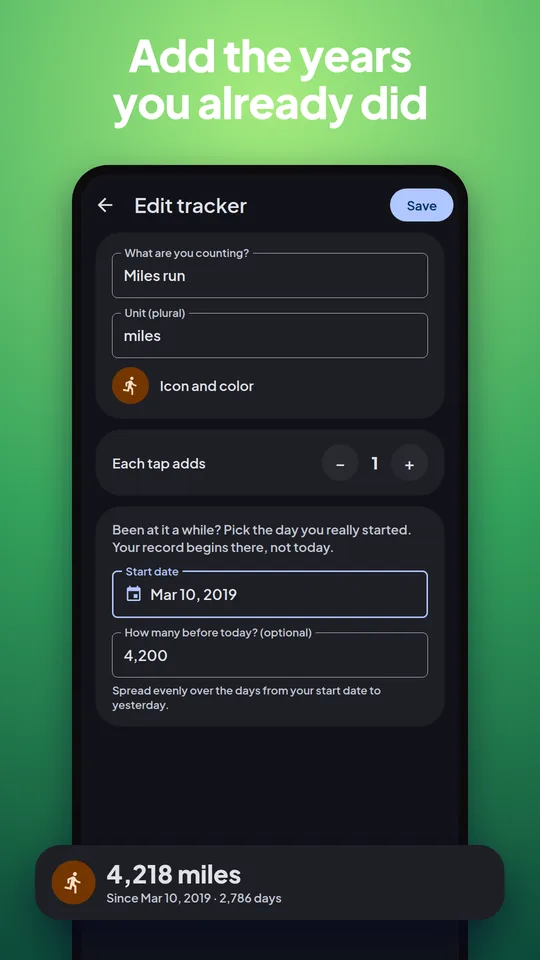
Started years ago? Pick your real start date and about how many so far, spread evenly up to yesterday.
STEP COUNTER, DISTANCE, FLOORS, SLEEP
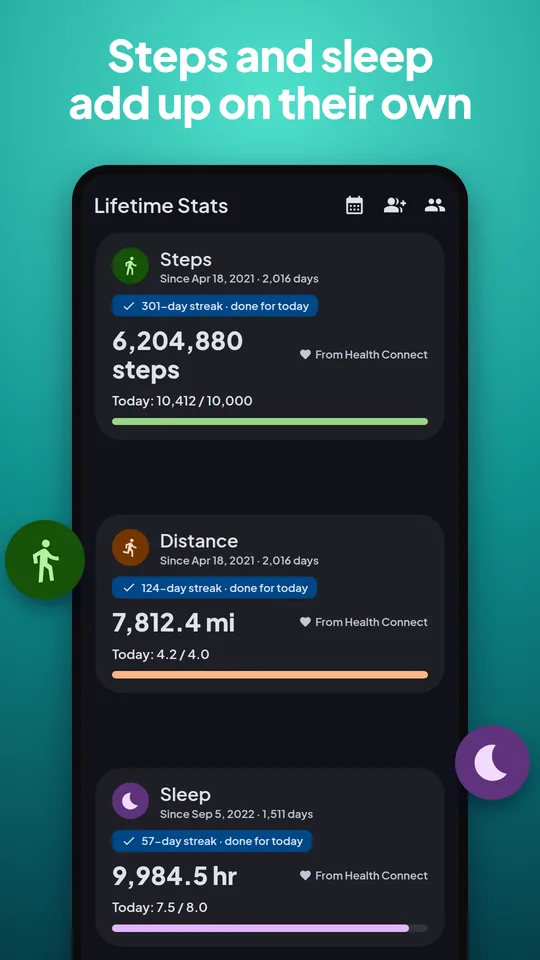
Link a tracker to Health Connect and it fills in your steps, distance, floors climbed, or hours of sleep, past days included. The app only reads, never writes. No app adding steps there? A steps tracker can use your phone's own step counter, from the day you turn it on. It picks up your steps when you open the app, the widget refreshes, or a reminder goes off.
COUNT WHAT YOU WANT LESS OF
Pick "less is better" and your daily number becomes a limit. A day at or under it keeps your streak going, and a jump up shows as a loss.
FIX YOUR RECORD ANYTIME
Take one off, set the total for any past day, or clear today. Let a streak survive up to 7 missed days, and start your day as late as 6 AM if you're up past midnight. Archived trackers keep their history.
MILESTONES WORTH SHARING
Your first entry earns a milestone card to share, and so do the big numbers after it.
YOUR RECORD SURVIVES A LOST PHONE
Your trackers, counts, and settings are kept on our server too, even before you sign in. Sign in with a Zaparo ID (Google or an email code) and your whole record comes back on your next phone. We never sell your record or use it for ads. A tracker you share or join is seen only by the people in its group, a streak you show only by the friends you picked, and the rest of your record by no one. "Delete my data from this app" erases your record from your phone and our server; once signed in, you do it on your Zaparo ID page. Counts you added to a shared tracker stay in its total, without your name.
For a copy of your own, export to CSV; importing adds only missing days.
ADS AND PRIVACY
Ads: one small banner at the bottom of your tracker list. The ads come from Google AdMob and from ZaparoAds, our own ad network, and Google uses your phone's advertising ID. Where the law requires it, you choose how ads are personalized, and you can change that in Settings. A one-time purchase removes the banner on every phone where you sign in with your Zaparo ID. Every feature stays free either way. We get crash reports, usage data, and recordings of how the app is used, to fix bugs and improve it.
- The app speaks
- English, Turkish, Arabic, Dutch, French, German, Hindi, Indonesian, Italian, Japanese, Korean, Polish, Portuguese, Russian, Spanish, Thai, Ukrainian, Vietnamese, b+zh+Hant, es-ES, zh
- Privacy policy
- Privacy policy